 ReefDeck
Open the free logbook
ReefDeck
Open the free logbook
Reef Tank Logging: Spreadsheet vs App — What Actually Works
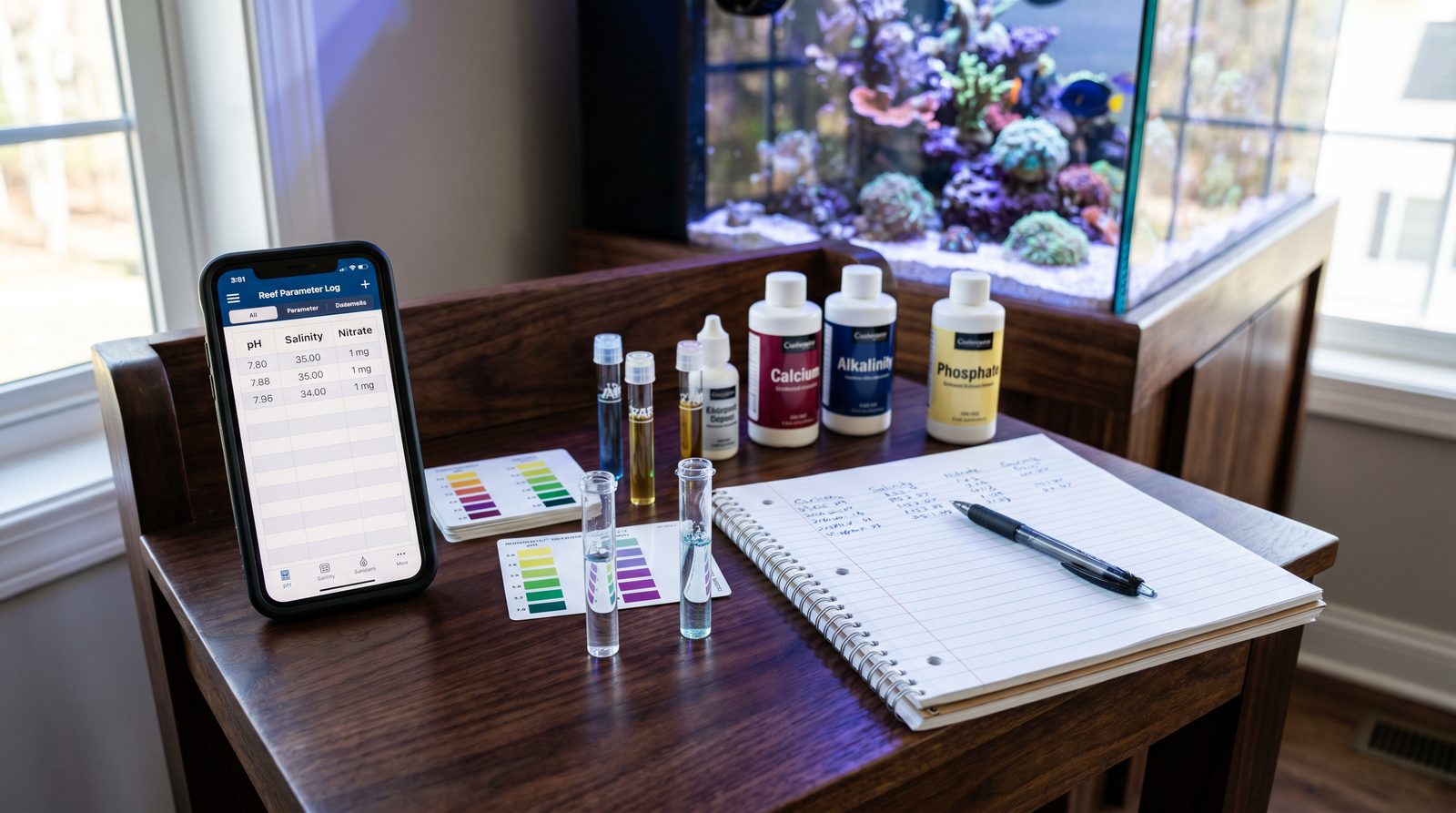
Both spreadsheets and dedicated apps can work — the difference is friction. A spreadsheet requires you to open a file, navigate to the right row, and build your own charts; it works well for detail-oriented reefers who already live in Excel or Google Sheets. A dedicated logbook app reduces entry to a few taps and shows you trends automatically, which makes it more likely you will actually log every test. The non-negotiable is that whatever you use must be fast enough to do while the test kit is still on the bench.
Ask a group of experienced reef keepers how they log parameters and you will get roughly equal numbers of spreadsheet devotees, notebook users, and app adopters — each convinced their method is the obvious choice. They are all partly right. The format matters far less than people argue; what matters is whether you actually open it every time you test. This guide looks honestly at the strengths and weaknesses of each approach so you can pick one and stick with it.
Why logging matters at all
A single test result answers one question: what is this parameter right now? A log answers a different, far more useful question: what has this parameter been doing? Alkalinity at 8.0 dKH is just a number. Alkalinity that has been at 9.2, 9.0, 8.7, 8.3, and 8.0 over the past ten days is a story — and that story tells you that your dosing is falling behind your corals' consumption.
Without a log, you cannot see drift, you cannot estimate consumption rates, and you cannot correlate a coral's colour change with a parameter shift that happened ten days earlier. That correlation is only visible in retrospect, and only if you wrote the numbers down at the time.
The notebook: simple, reliable, limited
A dedicated paper notebook is the oldest reef-keeping logbook, and it has genuine virtues: no battery, no app updates, no data export required. Many experienced reefers keep one specifically because there is no barrier between thought and record. You can also annotate freely — a circled entry with "added new frag, water cloudy" gives context that structured forms often miss.
The weakness is analysis. Spotting a trend in a column of handwritten numbers requires squinting and mental arithmetic. Drawing a chart requires transferring data to a computer. If you want to know how your alkalinity has moved over the past three months, a notebook makes you do all the work.
The spreadsheet: powerful but high-friction
A well-built spreadsheet — Google Sheets on your phone, or an Excel file you keep synced — is genuinely capable. You can add conditional formatting to flag out-of-range values, build charts that update automatically, and share the file with your club or forum thread. Many reefers have been using the same spreadsheet for years and find it indispensable.
The friction problem is real, though. Opening a browser tab, navigating to the right sheet, scrolling to the next empty row, and entering six values takes longer than it sounds when your hands are wet from a water change and you are standing at the tank at 10 pm. Studies of self-tracking behaviour consistently show that the more steps between the moment of measurement and the moment of recording, the higher the skip rate. Spreadsheets are rarely optimised for fast, one-handed mobile entry.
What a good reef logbook needs to do
Whether you use a spreadsheet or an app, the same functional checklist applies. A logbook earns its place if it does all of the following:
- Fast entry — you can log a full test set (6–8 parameters) in under a minute, ideally on a phone with one hand.
- Trend display — you can see a chart of any parameter over the last 30 or 90 days without building it yourself.
- Out-of-range flagging — values outside your personal target band are visible at a glance, not buried in a column.
- Offline access — you can open it and log data without a Wi-Fi connection (many tank rooms have poor signal).
- Data portability — you can export your raw numbers in a standard format (CSV, at minimum) at any time.
- No mandatory account — if the service disappears or changes its pricing, your data does not disappear with it.
Spreadsheets do some things better
It is worth being honest: spreadsheets have real advantages that purpose-built apps do not always match. They support free-form notes in any cell, complex custom calculations (dosing estimates, top-off volume tracking), and unlimited flexibility in layout. If you maintain multiple tanks and want a single file that links them all, a spreadsheet handles that naturally. If you are the kind of reefer who genuinely enjoys building a system from scratch, a Google Sheet with a well-thought-out structure can serve you as well as any dedicated tool.
The honest comparison is not "spreadsheets are bad" — it is that spreadsheets require effort to set up and effort to maintain, and that effort creates opportunities to let the habit slip. A tool that is already set up, already charting, and already on your home screen removes all of that.
Choosing a dedicated reef logbook app
If you go the app route, the checklist above is your filter. Beyond that, look for offline-first design (not just offline caching), a clear privacy policy that tells you where your data is stored, and the ability to export CSV at any time. Be wary of apps that require an account before you can see a single parameter — your logging habit should not depend on a company's continued existence or a subscription tier.
The format you will actually use
In the end, the right logbook is the one that gets opened every time you put a test kit down on the bench. A sophisticated spreadsheet you abandon after three weeks is worth less than a simple app you use every single Monday. Pick the tool that fits your habits, optimise it for speed, and treat consistency as the only metric that matters. The trend lines that emerge from six months of unbroken logging are what will teach you more about your tank than any single parameter reading ever could.
Try the logging method that takes seconds, not minutes
ReefDeck is a free, offline reef logbook built for the moment you finish a test. Open it on your phone, tap in the numbers, close it — your trend chart updates automatically, and your data stays yours.
Open ReefDeck — it's free → Works on phone and desktop · installs as an app · exports to CSV anytimeFrequently asked questions
Is a spreadsheet good enough for logging reef tank parameters?
Yes, if you will actually use it. A well-structured Google Sheet or Excel file can display trends and flag out-of-range values just as well as a dedicated app. The practical challenge is friction — spreadsheets take longer to open and fill in on a phone, which raises the skip rate. If you build a mobile-friendly sheet and commit to logging immediately after each test, a spreadsheet works well.
What should a reef tank logbook track?
At minimum: alkalinity, calcium, magnesium, nitrate, phosphate, salinity, temperature and pH, each with a date and time. A notes field for events like water changes, coral additions, or equipment changes is also valuable — those context markers are what make a trend chart interpretable months later.
Do I need an account to use a reef logbook app?
You should not have to. A good reef logbook stores data locally on your device and does not require registration. Look for one that works offline and exports your data to CSV so you are never locked in.
How long should I keep reef tank logs?
Indefinitely, if storage allows. The value of a log compounds over time — patterns that are invisible in a month of data become clear over a year, and a multi-year record lets you spot seasonal trends (temperature creep in summer, different consumption rates as your coral load grows) that would otherwise be invisible.